Payments

How to Pay Makes360

Choose any method below. Every payment is secure, and you'll receive an invoice and confirmation once it's done.

01

Choose a method

Pay by card, UPI, net banking, wallet, bank transfer or cheque. Your amount and due date follow the invoice raised for your project, with GST added as applicable.

02

Pay securely

Online payments are processed through PCI-DSS-compliant gateways including Razorpay and UPI, over an encrypted connection. Makes360 never stores your card or bank details.

03

Contact our team

Send your UTR or reference number along with your invoice number to our accounts team. We confirm receipt and email your invoice within 24 hours.

04

Client login

Sign in to view and download every invoice, check due dates, follow project progress and find all your project documents in one place.

Talk to our accounts team

Need a GST invoice reissued, a payment matched to the right invoice, a failed transaction traced, or clarity on what's due and when? One call usually settles it.

Mon-Fri, 10 AM - 6:30 PM Written requests acknowledged within 2 business days
  • 30-day money-back guarantee
  • 99.3% client satisfaction
  • 214+ businesses served
  • We reply within 2 hours
Ways to Pay

Choose a Payment Method

Pay online in seconds, or use UPI, bank transfer or cheque — whatever suits you.

Pay instantly with your Debit/Credit Card, UPI, Wallet or Net Banking. All major cards are accepted and every transaction is secured by Razorpay. You'll receive an instant confirmation and invoice.

We accept VisaMastercardDiscoverAmerican ExpressMaestroRuPay

Supports Cards · UPI · Wallets · Net Banking — secured by Razorpay.

Open any UPI app (Google Pay, PhonePe, Paytm, BHIM, etc.), scan a QR code or pay to a UPI ID below. After paying, share your UTR/reference number for invoice confirmation.
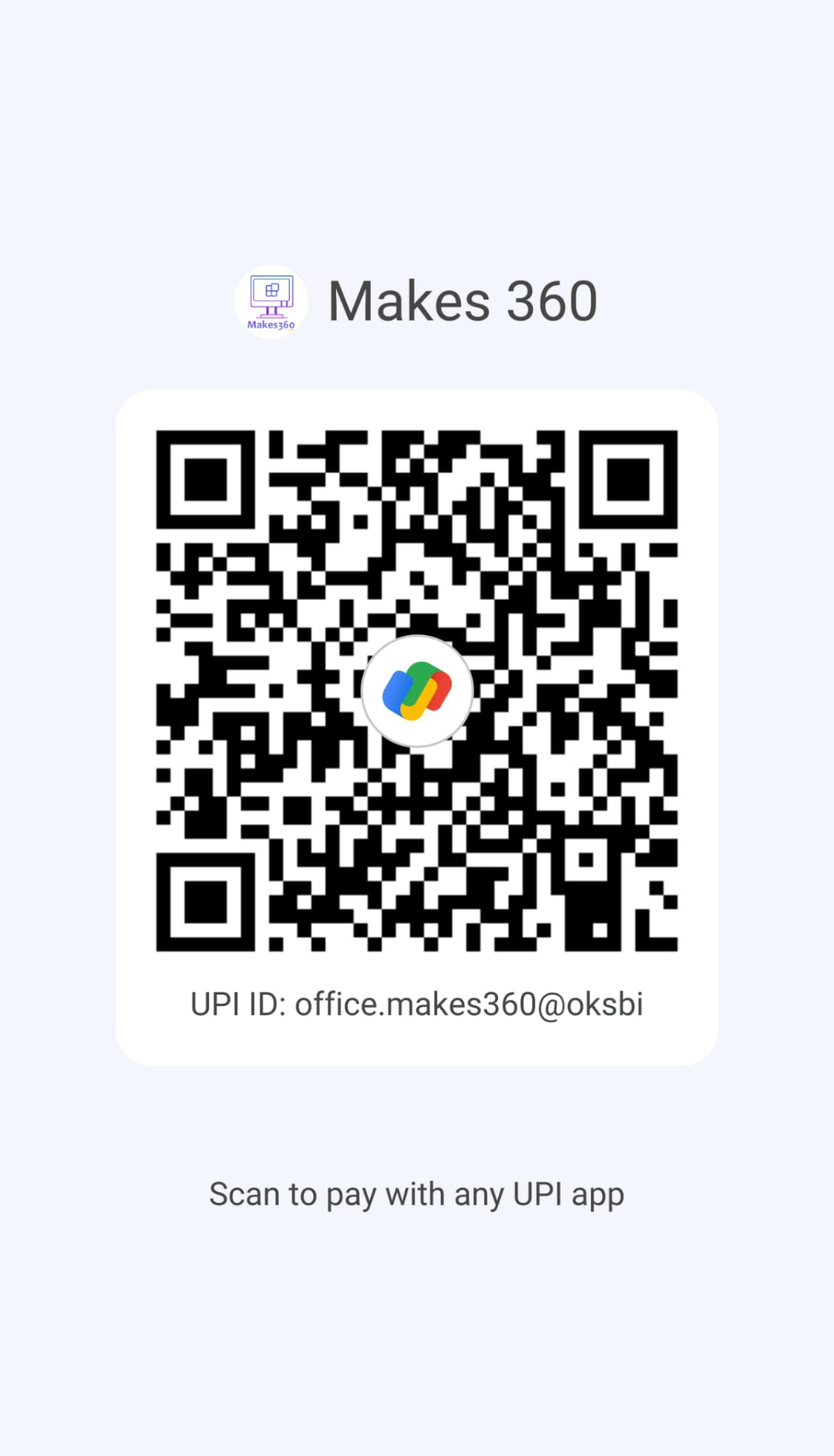
Scan with any UPI app

Scan with any UPI app tap to download

Transfer via NEFT, RTGS or IMPS using the details below, then share your UTR/reference number so we can generate your invoice.

IDFC FIRST BANK

  • A/c Holder AGI INNOVATIONS MAKES360 PVT LTD
  • A/c Number 0244270690
  • IFSC Code IDFB0021373
  • SWIFT Code IDFBINBBMUM
  • Account Type Current Account
  • Branch SCF 15 Phase 10 Mohali, Punjab 160062

Prefer a cheque? Make it payable to the name below and share the cheque details with our accounts team for processing.

Make cheque payable to AGI INNOVATIONS MAKES360 PRIVATE LIMITED

Official registration and tax details for vendor onboarding, GST-compliant billing and your records.

Registered Company

Official corporate registration details

Company NameAGI INNOVATIONS MAKES360 PRIVATE LIMITED
CINU62099PB2024PTC062040

GST Details

Tax and billing information for your records

Trade NameAGI INNOVATIONS MAKES360 PRIVATE LIMITED
GSTIN03ABBCA0429N1ZX
Billing AddressD180C, Sector 74, Phase 8B, Mohali, Punjab - 160055, INDIA

Registered directors of the company, with DIN and official email addresses for verification.

Official Records
A Anish Kumar Director
DIN 10706133
ceo@makes360.com

Save on the tools we already use for you — plus a free year of Makes360 support on each.

Hosting & Domains

Hostinger — 20% Extra Off

Buy hosting or a domain from Hostinger via our link for an extra 20% off, plus one year of free hosting support from Makes360. Register with a brand-new email never used on Hostinger before.

WhatsApp API

AiSensy — Extra Discount

Buy AiSensy plans through our link for an extra discount, plus a free year of WhatsApp API support from Makes360. Register with a brand-new email never used on AiSensy before.

These are affiliate links. Makes360 may earn a commission at no extra cost to you.
Client Login

Client Login

Access your personal dashboard.

Secure login — your session is encrypted

Lost your login details? Email us Mon-Fri, 10 AM - 6:30 PM

Not a client yet? Start a Project

Already a Makes360 Client?

Sign in to follow live project progress, download GST-compliant invoices and pick up every file, contract and approval without waiting on an email.

  • Live project progress
  • Invoices & payment history
  • Files, contracts & approvals
FAQ

Frequently Asked Questions

Quick answers on invoices, security, refunds and support.

Once your payment is confirmed, our accounts team emails your invoice to your registered address within 24 hours. You can also view and download every invoice anytime from your Client Portal. Need a physical copy? Just ask our team.

Yes. Online payments are processed through secure, PCI-DSS-compliant gateways such as Razorpay and UPI, protected by SSL encryption. Your card or bank details are never stored by Makes360 or shared with third parties.

Makes360 backs its work with a 30-day money-back guarantee. If our service doesn't meet expectations or there's a billing error, contact us with your payment details and we'll process eligible refunds — typically within 3–5 business days of verification.

Use the official numbers in the Key Contact Details above, or email hello@makes360.com or call +91 9132103210. Our team responds quickly to any payment query or discrepancy.

After paying, share your UTR/reference number or a payment screenshot with us on WhatsApp or email. Please include your name and project details so we can verify and activate faster.

Log in to your Client Portal for real-time project updates, invoices and document downloads. If you need help accessing it, contact our team.

Still have questions?

Can't find the answer you're looking for? Our team is happy to help.

Mon-Fri, 10 AM - 6:30 PM

Security Notice

Beware of Payment Fraud

Your security is our priority. Please read this before making any payment.

We never ask for payments to personal bank accounts or personal UPI IDs — only the official company accounts listed on this page.

We never ask for your passwords, card PIN, CVV or OTP. No genuine Makes360 staff will ever request these.

Official emails come only from our @makes360.com domain. Ignore lookalike addresses on free email services.

Be cautious of unsolicited calls, discounts or "urgent" payment requests from unknown numbers claiming to be us.

If you receive any suspicious payment request, do not act on it — verify with the official contacts above first. When in doubt, call us before you pay.

Was this page helpful?